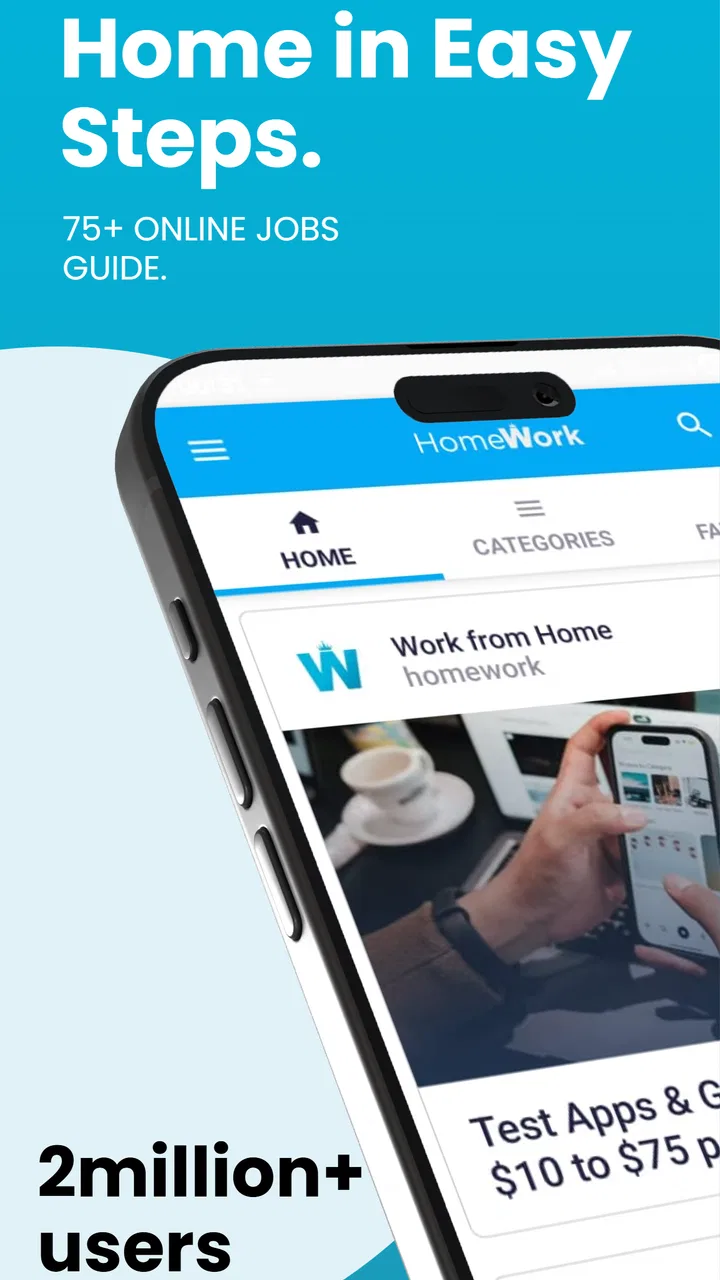
Work from Home
- 3.8
- Rating
- 1.00M
- Installs
- Free
- Price

 Analysis by App-foxy
Finding legitimate remote work is harder than it sounds. Job boards can be crowded, social media advice can be unreliable, and many “work from home” promises focus more on excitement than on practical next steps. I spent time with Work from Home to see whether it helps turn that broad idea into a usable job-search routine. My impression is mixed but useful: it can be a convenient starting point for exploring online work, yet it should be treated as a discovery tool rather than a complete career system.
The app belongs to the Business category and is free to use. It was developed by Online Jobs & Remote Work, carries an Everyone age rating, and supports devices running Android 6.0 or later. Its current version is 141.0, so it is a mature app rather than a brand-new experiment. The audience is clearly people who want employment they can pursue from home, whether they are changing careers, adding income, or simply trying to understand which remote roles exist.
What the app is really useful for
The first thing I noticed is that the app works best as a broad orientation layer. If you already know the exact company, salary range, and role you want, a specialist job board may be more efficient. If you are still comparing customer support, writing, virtual assistance, sales, data-related work, or other online paths, this app gives you a less intimidating place to begin.
You May Also Like

 Blood Strike: 2.5 Anniversary
Blood Strike’s Loadouts Turn Every Drop Into a Tactical Gamble
A close look at Blood Strike’s custom loadouts: how fast access to signature weapons reshapes its battle royale rhythm, rewards preparation, and narrows the gap between fights.

 Pandora - Music & Podcasts
Pandora’s Music Is Easy to Start, but Harder to Recover
Pandora’s strength is its low-effort path from a seed to a station. Its weak spot is how much confidence it asks you to place in connection, setup, and quiet recovery.

 8 Ball Pool
 Is Built on Rivalries, Rematches, and Routine
A close look at the rivalries, rematches, shared routines, and unanswered safety questions that turn a quick pool match into a persistent mobile community.

 Samsung Music
’s Quiet Strength Is Playing What You Already Own
Its reach comes less from spectacle than from dependable access to a personal library. That simplicity is both the app’s strongest retention engine and its ceiling.

 AccuWeather: Weather Radar
AccuWeather Review: A Quick, Clear Forecast for Everyday Decisions
For everyday plans, the best forecast is the one you can understand quickly. AccuWeather makes rain timing, radar, and local conditions easy to act on, with a few trade-offs.

 Hill Climb Racing
Why Hill Climb Racing Still Turns Crashes Into One More Run
A tiny car, a bumpy hill and one more upgrade: Hill Climb Racing keeps resurfacing because its simple chaos makes every near-miss feel personal.
More From Our News Desk



That distinction matters. A remote-work search is not one task. It includes choosing a direction, learning the vocabulary used in job adverts, identifying realistic requirements, preparing application materials, and checking whether an opportunity deserves your time. Work from Home is most helpful during the early stages, when you need ideas and a repeatable browsing habit instead of a single perfect vacancy.
I would not approach it expecting guaranteed employment. No app can remove the need to check employers, read requirements carefully, tailor applications, and protect personal information. The promise of a profitable online career may sound ambitious, but the practical value depends on how selectively you use what you find. The app can help you look; it cannot replace judgment.
A realistic way to use it during a normal week
Imagine someone who works part-time in the morning and has only an hour in the evening to search for a better opportunity. Opening a large general job platform can lead to endless filtering and repeated listings. With this app, that person could spend the first session identifying several work-from-home categories that match existing skills, the next session comparing recurring requirements, and a later session preparing a short application checklist.
The important improvement is not simply finding more listings. It is noticing patterns. If similar roles repeatedly ask for clear written communication, spreadsheet confidence, flexible availability, or experience with customer conversations, those patterns reveal what to improve before applying widely. I found this more valuable than treating every listing as an isolated chance.
A useful routine is to keep a separate note with the role title, required skills, application destination, and any questions raised by the advert. That small habit prevents the common mistake of applying impulsively and forgetting which company received your information. It also makes it easier to compare genuine opportunities with vague offers that use impressive language but provide little detail.
Where trust becomes part of the job search
Remote-work apps operate in a sensitive area because users may be searching while unemployed, financially pressured, or inexperienced with online hiring. That makes trust more important than a polished interface. I look at whether an app encourages deliberate choices, whether it gives users room to assess an opportunity, and whether it avoids pushing people into sharing more information than necessary at the beginning.
Here, I would keep a cautious mindset. The app’s presence on a phone does not automatically validate every job or earning route encountered through it. A listing can still require independent checking. Search the employer separately, look for a clear description of the work, confirm how applications are handled, and be suspicious of requests for payment, unusual financial details, or identity documents before a legitimate hiring process has begun.
The safest role for this app is a research companion, not a trust substitute. That is not a criticism unique to this product; it is a basic rule for online employment. The more urgent or unusually lucrative an offer sounds, the more time I would spend verifying it away from the app before responding.
Controls and choices I would review first
Before using any employment app seriously, I check the account and device choices available to me. I want to know whether I can control notifications, remove an account if I stop searching, and decide what information I provide during an application. These controls affect daily comfort as much as the job content itself. A useful search tool becomes frustrating if it constantly interrupts the user or makes it difficult to step away.
Android users can also review the app’s permissions through the operating system settings. I recommend doing this before beginning a serious search, then checking again after an update if the app requests anything new. A permission should have an understandable reason connected to the task being performed. If a request feels unrelated to browsing remote-work information, I would pause rather than approve it automatically.
Account discipline is equally important. Use a dedicated email address for job searches if possible, especially when exploring unfamiliar employers. Avoid placing a full identity profile into a general discovery app. A basic professional summary is enough at the research stage; sensitive documents should be shared only through a destination you have independently checked and understand.
One practical tip is to separate discovery from application. Browse opportunities first, then open the employer’s official hiring page in a separate step. This makes it easier to spot copied descriptions, inconsistent contact details, or application instructions that do not match the company’s normal process. It also reduces the chance of sending the same personal information repeatedly through unknown forms.
Data-sensitive moments deserve extra attention
The most sensitive point is usually not reading a job description. It is the moment an opportunity asks for contact details, a résumé, work samples, identity information, or payment-related data. I would treat each request as a separate decision rather than assuming that because the initial browsing felt harmless, every later step is equally safe.
Start with the minimum needed to understand the opportunity. A first conversation may require a name and a professional contact address, but it should not automatically require banking information or highly sensitive identification. If a role claims to be remote but asks for money to unlock training, equipment, or access to assignments, I would leave immediately and report or block the source where appropriate.
Another overlooked issue is résumé reuse. Many applicants upload one document everywhere, including their phone number, home address, and a detailed employment history. For early exploration, I prefer a version that limits unnecessary personal details. Keep a fuller résumé ready for a verified employer, but do not distribute it broadly while you are still deciding which opportunities are credible.
Notifications can also expose more than expected on a lock screen. If you are using the app around family, coworkers, or shared devices, review notification behavior in Android settings. A generic alert is often preferable to displaying a job title, company name, or message preview publicly. This is a small privacy choice, but it is exactly the kind of everyday control that is easy to overlook.
How I would organize the search inside a general remote-work app
I would begin with skills rather than job titles. Someone who writes clearly may search for support or content-related work; someone who enjoys structured tasks may investigate administrative or data-focused roles; someone comfortable speaking with customers may consider sales or service positions. This approach is more productive than chasing whichever title sounds highest-paying.
Next, create a short comparison list. For each promising opportunity, record the work type, experience expectations, schedule, application route, and any warning signs. Do not rely on memory. Remote roles often look similar at first glance, and a written comparison exposes differences in training, availability, equipment, and communication requirements.
After that, choose only a few applications to develop properly. Tailoring a résumé or cover message takes time, and sending a large number of generic applications can create the illusion of progress without improving results. I would rather submit several focused applications with clear evidence of relevant skills than scatter personal information across every attractive-looking post.
A less obvious benefit of this method is that it reveals whether the app is helping you learn. After several sessions, you should understand more about the language of remote hiring and the skills employers repeat. If you are only scrolling without becoming more selective, the app is functioning as entertainment rather than a career tool. At that point, a focused course, portfolio project, or specialist board may be a better next step.
How it compares with familiar alternatives
Compared with a large professional network, this app feels more approachable for someone who does not yet have an established online work identity. A professional network is stronger for public profiles, networking, recommendations, and direct contact with recruiters. It can also feel noisy and demanding when a user simply wants to understand remote options. I would choose the network once I had a clear target and wanted to build professional visibility.
Compared with a specialist job board, Work from Home is better suited to exploration than deep filtering. Specialist platforms often provide more detailed controls for location, contract type, seniority, salary, or technical field. If you already know your niche, those tools may save time. This app makes more sense for a beginner who needs a broad view before committing to one direction.
Compared with freelance marketplaces, the experience is likely more useful for discovering employment ideas than for managing a complete client workflow. Freelance platforms usually revolve around proposals, portfolios, contracts, milestones, and payments. Someone who already sells a defined service may prefer that structure. Someone still deciding whether remote work fits their abilities may find this app less intimidating.
The trade-off is depth. A general remote-work app can introduce possibilities quickly, but it may require more independent checking and organization from the user. I would not abandon specialist services; I would use this app to decide where to focus, then move to a more specialized destination when the goal becomes concrete.
Who will benefit, and who should skip it
This app is a reasonable fit for beginners, career changers, parents or caregivers seeking flexible possibilities, and people who want to compare online work categories before investing in training. It is also useful for users who prefer browsing from a phone and need a simple way to make remote work part of a regular routine.
I would be more cautious recommending it to experienced professionals who already know their target companies or to applicants who need advanced filters and detailed employer research. They may reach better opportunities faster through specialist boards, professional networks, or industry communities. It is also not the right choice for anyone expecting the app itself to verify employers, negotiate contracts, provide training, or guarantee income.
Users who dislike evaluating sources independently should be especially careful. Remote-work searches contain misleading offers across the internet, and a convenient interface can make weak opportunities feel more credible than they are. The app rewards patient users who compare information, protect their details, and accept that a promising lead still needs investigation.
What the community signal tells me
The app has passed one million installs and holds a 3.8 average from about 5.3 thousand ratings, alongside roughly 460 written reviews. Those figures suggest meaningful interest, but they do not prove that every user found work or had the same experience. I read them as a reason to test the app personally rather than as a guarantee.
The free price lowers the barrier to trying it, which is helpful when someone is still exploring career options. It also means I would judge the app by the time it saves and the quality of the decisions it supports. Free does not mean costless if the user spends hours scrolling, applies to unsuitable roles, or shares information too quickly.
Because it is rated for Everyone, the app is accessible to a broad audience. Younger users should still involve a trusted adult when an opportunity requests personal information, money, or a formal contract. An age label does not turn unfamiliar employers into verified employers, so basic online safety remains necessary for every age group.
My cautious verdict
I see Work from Home as a useful first stop for people who want to understand remote employment without immediately joining a complex professional platform. Its strongest value is helping users move from a vague goal—“I want to work online”—toward a shortlist of possible directions and skills to investigate.
My recommendation comes with a clear condition: use it deliberately. Set a short browsing goal, keep notes, separate discovery from application, review permissions and notifications, and verify employers outside the app before sharing sensitive information. Those habits make the experience more productive and reduce the risks that come with online job searching.
I would install it if I were beginning a remote-work search or helping a friend compare possibilities. I would not use it as my only employment resource, and I would not treat an attractive listing as proof of a legitimate opportunity. For a free Business app with a large installed audience, it is worth trying as a starting point, especially when you need direction. For advanced applicants who already know exactly what they want, a specialist alternative will probably be faster and more precise.
FAQs for Work from Home
01What is Work from Home, and what can I use it for?
Work from Home is a productivity-focused app designed to help users organize and manage remote work from a mobile device. Depending on the version and available features, it may help you track tasks, plan schedules, communicate with colleagues, monitor working hours, or access work-related resources. It is most useful for freelancers, employees, students, and small teams that need a more structured home-working routine.
02Is Work from Home suitable for beginners and people with limited technical experience?
Yes, the app is generally designed to be approachable for users who are new to remote-work tools. Its menus and main functions can usually be understood without advanced technical knowledge, although some features may require time to configure properly. Before relying on it for professional work, new users should explore the settings, notification options, account controls, and any available tutorials to become familiar with the workflow.
03Does Work from Home require an internet connection to function?
Most work-from-home applications require an internet connection for essential features such as account synchronization, messaging, cloud storage, online meetings, task updates, or access to shared documents. Some basic information may remain available offline, depending on the app, but changes might not be saved or synchronized until you reconnect. A stable Wi-Fi or mobile data connection is recommended for the best experience.
04Is my personal and professional information safe when using Work from Home?
Users should review the app’s privacy policy and permissions before creating an account or uploading work-related information. Pay attention to what data the application collects, whether information is stored in the cloud, and how third-party services are involved. Avoid sharing confidential company files unless your employer has approved the app, and use a strong password, two-factor authentication, and a secure private network whenever possible.
05Is Work from Home free, and are there any additional costs?
The availability of free and premium features depends on the specific version of Work from Home and the platform where it is downloaded. Some users may access basic tools without payment, while advanced functions, increased storage, team collaboration, advertisements removal, or professional support may require a subscription or in-app purchase. Check the store listing carefully for pricing, trial terms, renewal conditions, and cancellation instructions before subscribing.
Pros
- Flexible schedules make it easier to balance work and personal commitments.
- Remote access lets you work from almost anywhere with an internet connection.
- Useful tools help organize tasks
- meetings
- and communication in one place.
- Can reduce commuting time and daily transportation costs.
- Suitable for freelancers
- remote employees
- and home-based business owners.
Cons
- Some features may require a paid subscription or in-app purchases.
- Reliable internet access is essential for using the service effectively.
- Working alone can reduce social interaction and team connection.
- Notifications may blur the boundary between work and personal time.
- Privacy can be a concern when handling work data from home.

Work from Home
Gallery